You've felt it, even if you haven't said it out loud.
You ask AI to summarize the reading. It hands you a clean answer. You nod, you move on, and by that evening you couldn't explain a single point of it if your grade depended on it.
The scary part isn't that AI gave you the answer. It's the quiet feeling that came after: I'm not sure I could have gotten there myself anymore.
That feeling has a name, and it's backed by real research. Let's talk about what's actually happening in your brain, and how to keep using AI without letting it hollow out your thinking.
What "Cognitive Offloading" Actually Means
Here's the science, in plain terms.
Cognitive offloading is when you outsource mental work to an external tool instead of doing it in your head. It's not new. Writing something down instead of memorizing it is offloading. So is using a calculator, or letting Google Maps remember the route.
Offloading isn't evil. It frees your brain for harder things. The problem is what you offload.
When you offload the boring stuff (remembering a phone number), you lose nothing that matters. But when you offload the thinking itself the wrestling, the connecting, the figuring-out — you skip the exact mental struggle that builds understanding and memory.
The rule of thumb: offload the storage, never the struggle.
Why This Hits Studying So Hard
Learning isn't the transfer of information. It's what your brain does while it works with that information.
Remember the last thing you truly understood. You probably didn't get it instantly. You were confused, you fought with it, and then it clicked. That fight was the learning.
When AI removes the confusion, it also removes the click.
The answer arrives, but the understanding never gets built.
You feel productive, but you've mistaken AI's output for your own learning.
This is the same trap as highlighting notes and feeling ready, then blanking on the exam. Smooth and effortless feels like progress, but memory is built by effort, not ease.
Researchers who study this call it a desirable difficulty the useful kind of hard. Remove it, and you remove the growth.
The Test: Are You Using AI or Leaning on It?
Here's a simple gut-check you can run on any AI study session.
Ask yourself: after the AI helped, could I now do this without it?
If yes, you used it as a tutor.
If no, you used it as a crutch.
A tutor makes you more capable over time. A crutch makes you more dependent. Same tool, completely different outcome, and the only difference is how you used it.
5 Ways to Study With AI That Make You Smarter
You don't need to quit AI. You need to flip it from a thing that answers for you into a thing that trains you. Here's how.
1. Make it quiz you, not tell you. Instead of "explain photosynthesis," say "quiz me on photosynthesis one question at a time and don't give me the answer until I try." Now the AI is running your active recall for you, which is the single most proven way to build memory.
2. Answer first, check second. Force yourself to produce an answer before you look at the AI's. Even a wrong attempt primes your brain to absorb the correction. The struggle has to come first, or it doesn't count.
3. Use it to find your gaps, not fill your page. Explain a concept to the AI in your own words and ask it to poke holes in your understanding. This turns AI into a mirror for your thinking instead of a replacement for it.
4. Offload the busywork, keep the thinking. Let AI do the genuinely low-value grind — reformatting notes, turning a PDF into a first draft of flashcards, building a study schedule. Then you do the recall and the reasoning. Storage, not struggle.
5. Always close the loop with retrieval. Whatever AI helps you learn, test yourself on it later with no AI in sight. If it survives that, it's actually yours.
Where GoodOff Fits (The Guardrails, Built In)
This is the exact philosophy we built GoodOff around: AI should do the tedious setup, then get out of your way so your brain does the learning.
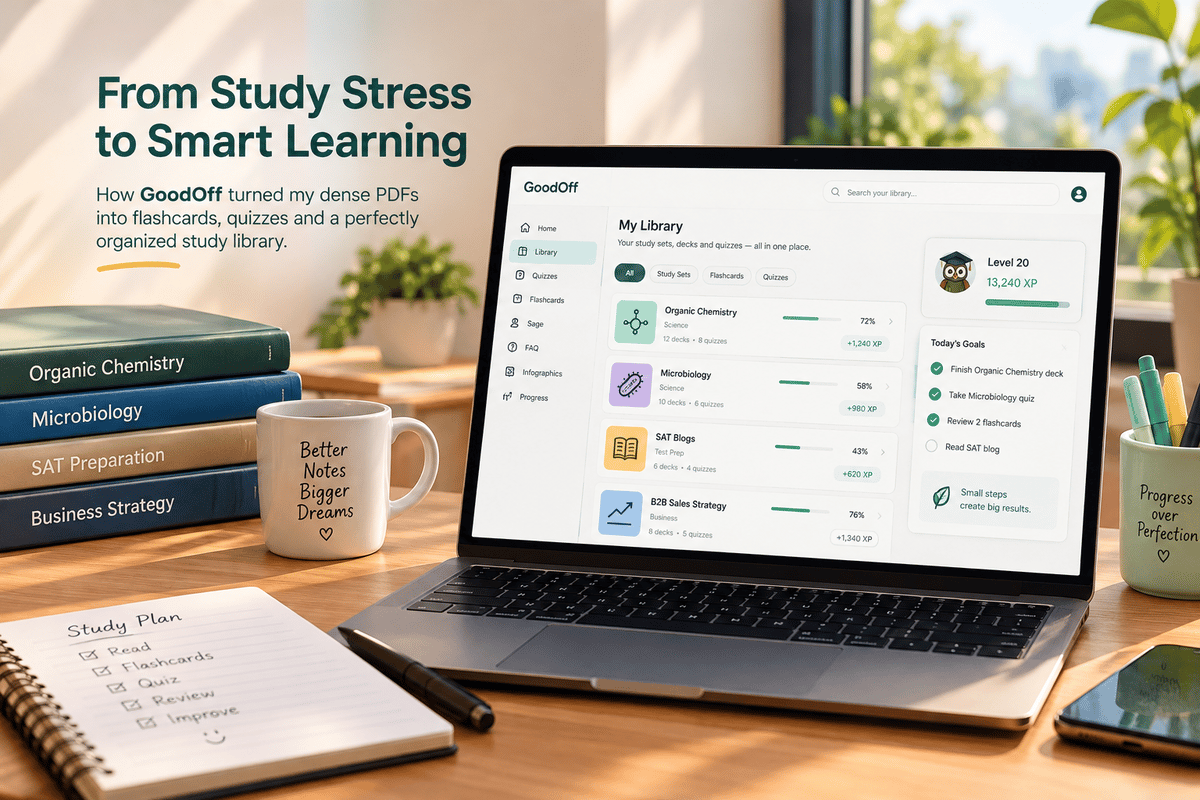
Our AI flashcard generator and PDF-to-flashcards tool handle the busywork turning your notes into a practice deck in seconds so you skip the grind but keep the recall.
Then GoodOff makes you do the part that matters: active recall practice on a spaced repetition schedule, so the knowledge actually lands in long-term memory.
And Sage, our AI tutor, is built to quiz and guide rather than just hand over answers, so you're always doing the thinking.
It's the difference between AI that studies for you and AI that makes you the one who knows it. One leaves you with a clean summary. The other leaves you with the answer in your head when it counts.
Stay in the Driver's Seat
AI isn't making students dumber. Passive use of AI is.
The students who'll come out ahead aren't the ones who avoid these tools, and they're not the ones who let the tools do everything. They're the ones who stay in charge using AI to sharpen their thinking instead of skipping it.
So keep the AI. Just make sure that at the end of every session, the smartest thing in the room is still you.
Start today: next time you reach for AI, ask it to quiz you instead of answer you. That one swap changes everything.
Want me to make the featured image for this one (in your amber/cream style with the headline baked in, under 60 chars), plus the FAQ schema block targeting "does AI make students dumber" and "is cognitive offloading bad"? Both are quick from here.