Why Traditional Note-Taking Is Failing Students
Here's a stat that should make every student uncomfortable: research from Princeton shows that students who take notes by hand retain conceptual information better than laptop typists — but neither group retains more than 40% after a week without review. The problem isn't how you take notes. It's what happens after.
Most students treat note-taking as a one-and-done activity. You scribble during lecture, maybe highlight a few things later, and then cram from those notes the night before an exam. Sound familiar? That entire workflow is broken, and AI note-taking apps are finally fixing it.
In 2026, the best AI note-taking apps for students don't just transcribe — they organize, summarize, extract key concepts, and even generate flashcards automatically. Let's break down what's out there and how to actually use these tools to study smarter.
What Makes an AI Note-Taking App Worth Using?
Not every app slapping "AI" on its marketing page is worth your time. Here's what separates genuinely useful tools from gimmicks:
- Real-time transcription — Records and transcribes lectures as they happen, not after
- Smart summarization — Condenses an hour-long lecture into key points without losing critical details
- Concept extraction — Identifies definitions, formulas, and important terms automatically
- Flashcard generation — Turns your notes into study-ready cards you can review immediately
- Search and organization — Makes finding specific topics across months of notes effortless
- Export flexibility — Works with your existing study workflow, not against it
The goal isn't to replace your brain — it's to handle the mechanical work so you can focus on understanding the material instead of frantically copying it down.
The Best AI Note-Taking Apps for Students in 2026
1. Notion AI
Notion has evolved from a productivity tool into a full-blown study companion. Its AI features can summarize pages, generate action items from meeting notes, and restructure messy notes into clean outlines. The free plan is generous enough for most students, and the template ecosystem means you're never starting from scratch.
Best for: Students who want an all-in-one workspace for notes, projects, and planning.
2. Otter.ai
Otter remains the gold standard for lecture transcription. It integrates with Zoom, Google Meet, and Microsoft Teams, automatically joining your virtual classes and producing searchable transcripts. The AI summary feature highlights key topics and action items, making post-lecture review much faster.
Best for: Students in lecture-heavy programs who need accurate transcription.
3. AudioPen
AudioPen takes a different approach: you ramble into your phone about what you learned, and the AI restructures your thoughts into clean, organized notes. It's surprisingly effective for processing complex material because explaining concepts out loud forces active recall — one of the most powerful study techniques.
Best for: Auditory learners and students who think better out loud.
4. Microsoft OneNote + Copilot
OneNote's integration with Microsoft Copilot brings AI summarization, rewriting, and Q&A directly into the note-taking experience. If your university provides Microsoft 365 (most do), this is essentially free AI-powered note-taking with robust organization features.
Best for: Students already in the Microsoft ecosystem who want zero additional cost.
5. GoodOff — From Notes to Mastery
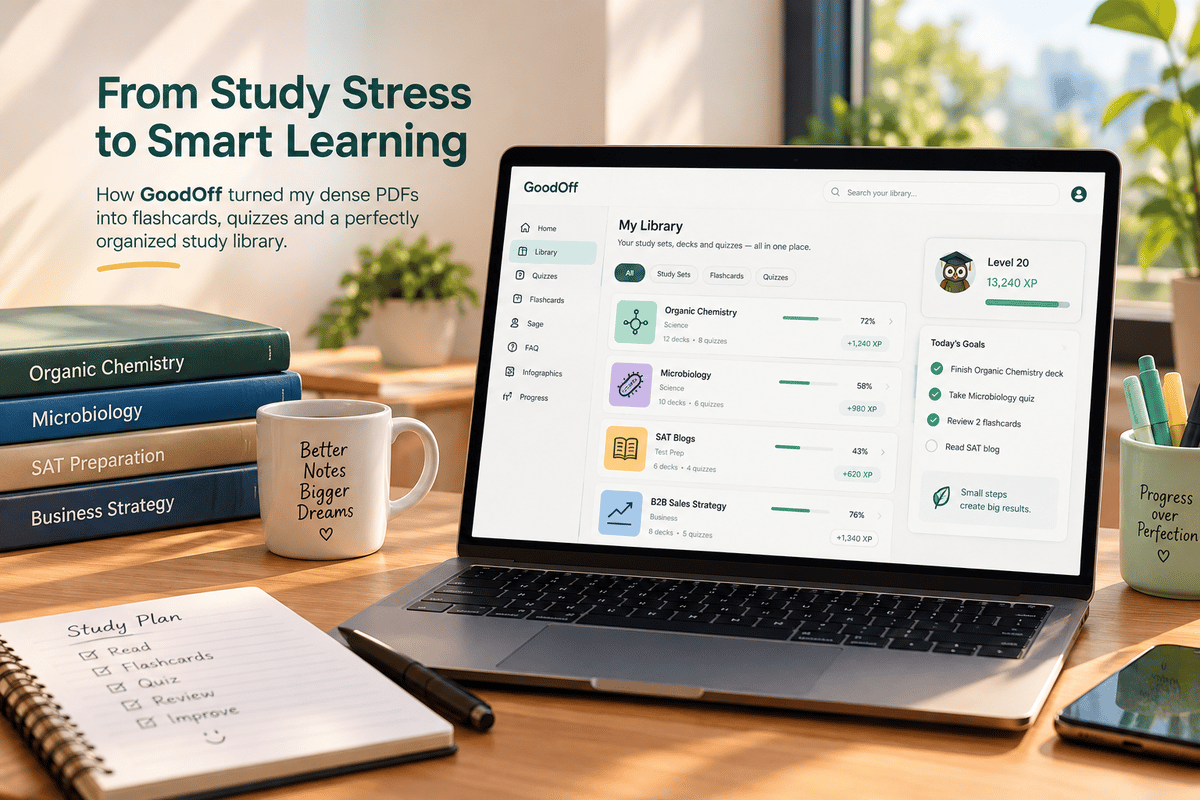
Here's where most AI note-taking apps stop: they give you organized notes and call it a day. But organized notes sitting in a folder don't put knowledge in your brain. GoodOff bridges that gap by turning your study material into AI-generated flashcards that use spaced repetition to actually cement information in long-term memory.
Upload a PDF of your lecture notes or textbook chapter, and GoodOff's AI extracts the key concepts and creates flashcards automatically. Then its FSRS-based algorithm schedules your reviews at scientifically optimal intervals — right before you'd forget each piece of information. It's the difference between having notes and knowing the material.
Best for: Students who want to go beyond note-taking into active learning and long-term retention.
The Real Problem: Notes ≠ Learning
Let's be honest about something. Taking beautiful, AI-organized notes feels productive. It looks productive. But it's often just a sophisticated form of procrastination.
The research is clear on this: passive review of notes produces almost no long-term retention. A 2023 meta-analysis in Psychological Bulletin confirmed what cognitive scientists have been saying for decades — you need active retrieval practice (testing yourself) and spaced repetition (reviewing over time) to actually learn.
That's why the smartest study workflow in 2026 isn't just about taking better notes. It's about building a pipeline:
- Capture — Use an AI tool to record and organize your notes during lecture
- Process — Review the AI summary within 24 hours, filling in gaps while the lecture is fresh
- Convert — Turn key concepts into flashcards (tools like GoodOff do this automatically from PDFs)
- Review — Use spaced repetition to review those cards at optimal intervals
- Test — Practice with active recall before exams, not passive re-reading
Each step builds on the last. Skip any one of them and your retention drops dramatically.
How to Set Up Your AI Note-Taking Workflow
Here's a practical workflow you can implement this week:
During Lecture
Use Otter.ai or your phone's recorder to capture the audio. Take minimal handwritten notes — focus on diagrams, questions that come up, and connections between ideas. Don't try to write everything down. That's the AI's job now.
Within 24 Hours
Review the AI-generated transcript or summary. This is where most students fail — they capture everything and review nothing. Spend 15-20 minutes cleaning up the notes, adding your own thoughts, and highlighting what confused you.
Same Week
Export your processed notes as a PDF and upload them to GoodOff. Let the AI generate flashcards from the key concepts. Review the generated cards and edit any that need adjustment — this editing process is itself a form of active learning.
Ongoing
Spend 10-15 minutes daily reviewing your flashcard queue. GoodOff's spaced repetition algorithm handles the scheduling — you just show up and study. By exam time, you've already reviewed the material dozens of times at optimal intervals.
Common Mistakes to Avoid
Even with AI tools, students sabotage their own learning in predictable ways:
- Collecting without processing — Having 200 perfectly transcribed lectures means nothing if you never review them
- Trusting AI summaries blindly — AI misses nuance. Always cross-reference summaries with the original material
- Skipping the flashcard step — Notes are input. Flashcards with spaced repetition are output. Don't skip the conversion
- Using too many tools — Pick one note-taking app and one review app. More tools means more friction means less studying
- Highlighting instead of testing — Highlighting feels productive but produces almost zero retention. Test yourself instead
The Bottom Line
AI note-taking apps in 2026 are genuinely impressive — they can transcribe, summarize, and organize better than any student can manually. But the technology only helps if you use it as part of a complete study system.
Take notes with AI. Process them yourself. Convert them to flashcards. Review with spaced repetition. That's the formula. The students who figure this out spend less time studying and retain more — and that's not a marketing claim, it's what the cognitive science has been telling us for decades.
The best time to fix your study workflow was last semester. The second best time is right now.